 GETGOODAPP COLLECTION
PDF Text Extractor - OCR for Mac
Extract text from PDFs, recognize scanned pages with local OCR, and save editable text on your Mac.
Available on the Mac App Store.
A closer look.
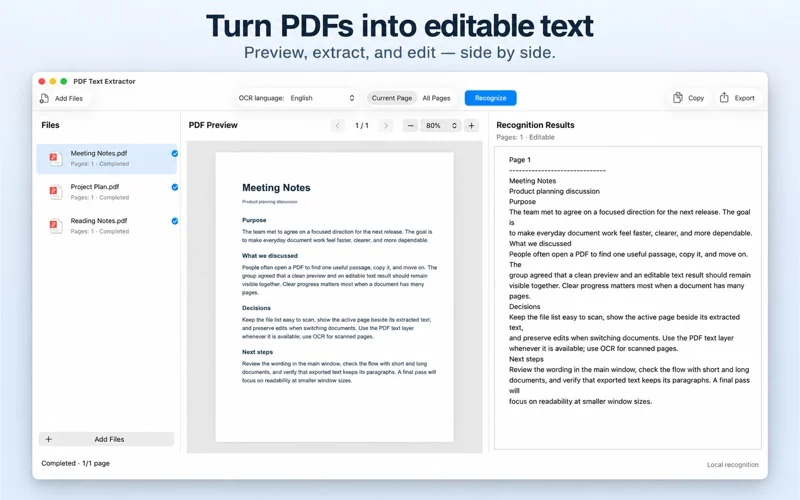
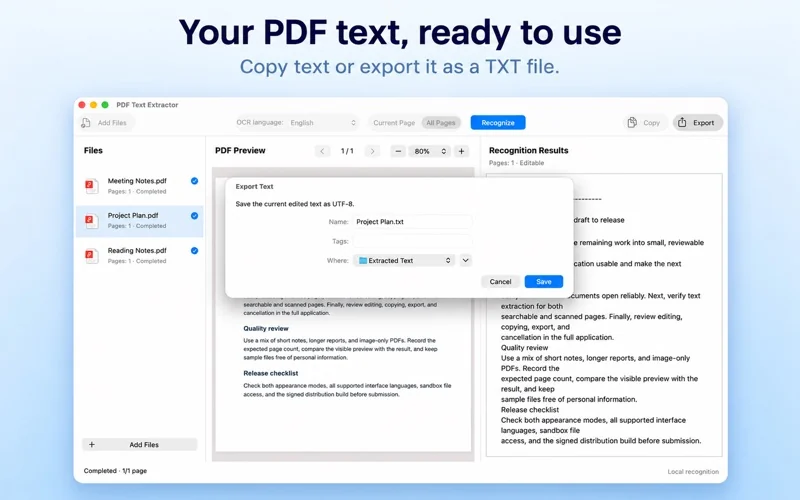
Reuse the words in your PDFs without retyping them. PDF Text Extractor – OCR combines a file list, PDF preview and editable text in a three-column Mac workspace.
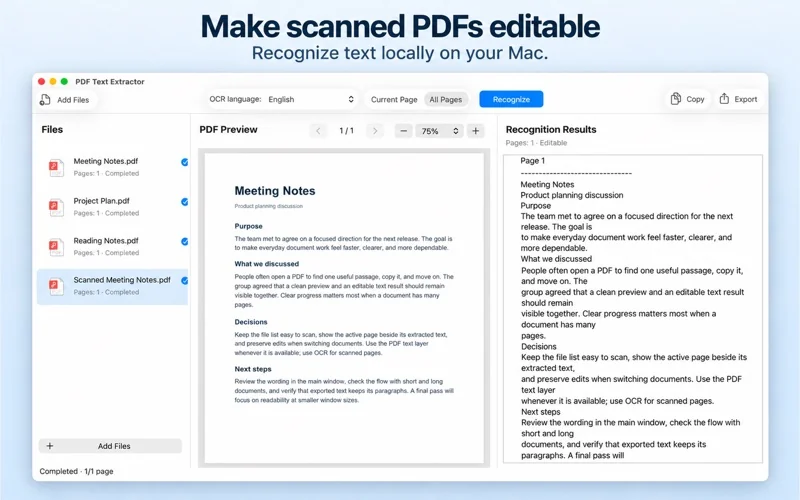
For a text-based PDF, extract its existing text layer without OCR. For scanned pages, choose a recognition language and process the current page or all pages. This is useful when preparing text from notes, reports and scanned documents for review or reuse.
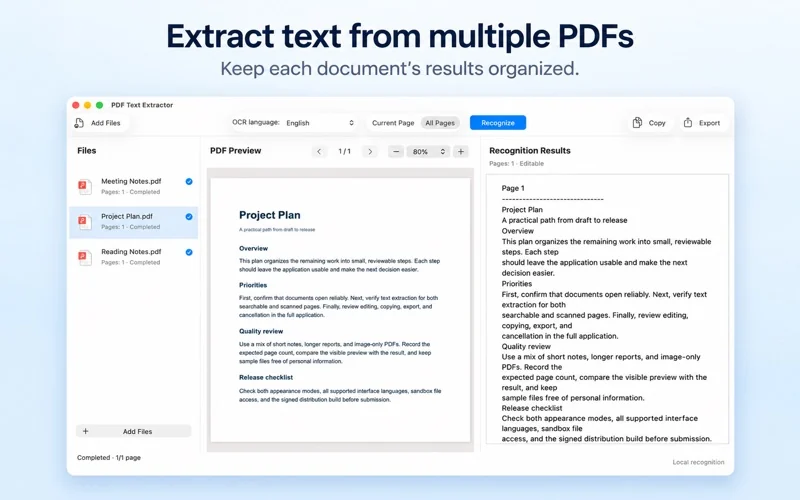
Import multiple PDFs and keep each document’s results separate. Review and edit the extracted text beside the original preview, copy it, or export a UTF-8 TXT file. TXT is editable plain text; do not expect it to reproduce the PDF’s visual layout.
The official listing states that text extraction and OCR run locally on your Mac, without uploading documents to a cloud OCR service. Recognition depends on scan quality, fonts and page layout; check the result before using it.
Interface languages
14 interface languages: Arabic, English, French, German, Indonesian, Italian, Japanese, Korean, Portuguese, Russian, Simplified Chinese, Spanish, Traditional Chinese and Turkish. Interface languages are not a confirmed list of OCR recognition languages.
Download and related tools
Browse Mac apps · PDF & document tools · Writing & learning tools
Screenshots
Core features
- Extract the existing text layer from text-based PDFs without running OCR.
- Use local OCR for scanned PDFs, with a recognition language and current-page or all-page processing.
- Import multiple PDFs and use File → Recognize All Files; results stay separate by document.
- Review and edit text beside the PDF preview, copy it, or export UTF-8 TXT.
- Three-column workspace with light and dark appearance.
- Official listing: native Apple Silicon and Intel support, macOS 10.13 or later, and 14 interface languages.
How it works
Official workflow: use Add Files to import PDFs, select a document and review its preview. Extract an available text layer, or choose OCR language and Current Page / All Pages for scanned pages, then Recognize. Review/edit the text and use Copy or Export for UTF-8 TXT. For several documents, the official description provides File → Recognize All Files. This example follows the official description and store screenshots, not a new independent app test.
Platforms, downloads & licensing
Mac
- Version
- 1.2
- Updated
- 2026-10-19
- System requirements
- macOS 10.13 or later, as listed by Apple. The official description states native support for Apple Silicon and Intel Macs.
- Platform-specific features
- PDF text-layer extraction, local OCR for scans, separate multi-file results, and editing/copying/UTF-8 TXT export.
- Price & license
- Paid Mac App Store download. Checked 19 October 2026: US storefront US$4.99; China storefront ¥38. Prices and purchase terms depend on region and Apple's current listing.
- Free tier limits
- A free trial and precise usage/page limits have not been confirmed. Review the current Mac App Store purchase information; no free or unlimited-use policy is promised here.
Frequently asked questions
Do I need OCR for every PDF?
No. The official listing distinguishes extracting an existing text layer from recognizing scanned pages. Use OCR for image-based page content that needs text recognition.
Can I process several PDFs?
The official description provides File → Recognize All Files, with results kept separate for each document. Exact file and page limits have not been verified.
Does TXT preserve the original layout?
The confirmed export is UTF-8 plain text. Review the text against the PDF preview; this page does not promise a layout-preserving Word or searchable-PDF export.
Does OCR upload documents to a cloud service?
The official listing states that extraction and OCR run locally on Mac and do not require a cloud OCR upload. This is a description of those document-processing features, not an independent audit of every network action.
Which languages are supported?
Apple lists 14 interface languages, including English, Simplified Chinese and Traditional Chinese. These are interface languages; the complete shipped OCR recognition-language list has not been independently checked.
Is there a free trial?
A free trial has not been confirmed. The verified listing is a paid Mac App Store download; consult Apple for current regional purchase information.
Related guides & articles
Related articles will appear here when published.