 GETGOODAPP COLLECTION
Audio CD Maker: Audio CD Burner for Mac
Create music CDs from audio files on Mac. A compatible CD writer and writable CD-R or CD-RW are required.
Available on the Mac App Store.
A closer look.
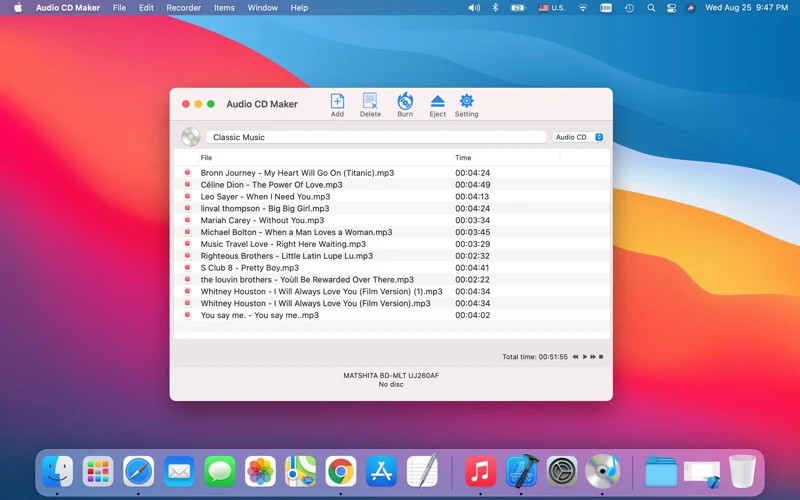
Audio CD Maker is a Mac app for creating audio CDs from audio files. You need a compatible CD-writing device and a writable CD-R or CD-RW; a read-only optical drive cannot burn a disc.
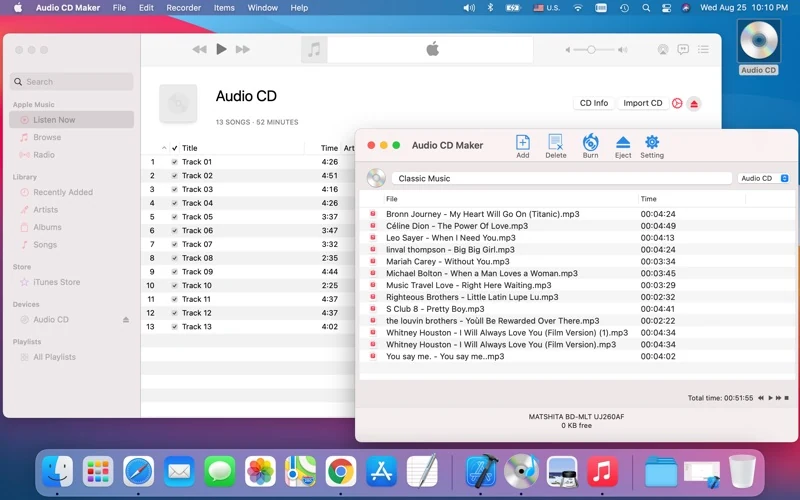
Use it to prepare a music-disc compilation from your audio files. The official interface shows a track list, a disc title, an Audio CD option and Burn controls. Store screenshots illustrate the published interface and a sample session; they are not a new burn or playback test.
An audio CD is prepared as music tracks. A data disc stores files, and copying MP3 files to a data disc does not by itself make an audio CD. Which discs a player reads depends on the device and media; this page does not promise playback in every car stereo or CD player.
Apple lists version 2.0, updated 27 August 2021, with macOS 10.9 or later and an English interface. The release notes mention macOS Big Sur. This website update does not establish compatibility with current macOS releases or Apple Silicon.
Interface languages
English, as listed by Apple. Chinese website or proposed Chinese store copy does not mean the app has a Chinese interface.
Download and related tools
Screenshots
Core features
- Create audio CDs using CD-R or CD-RW, as described by the official listing, with compatible hardware and media.
- Prepare files in the track-list interface, with Add/Delete controls and a disc title shown in official images.
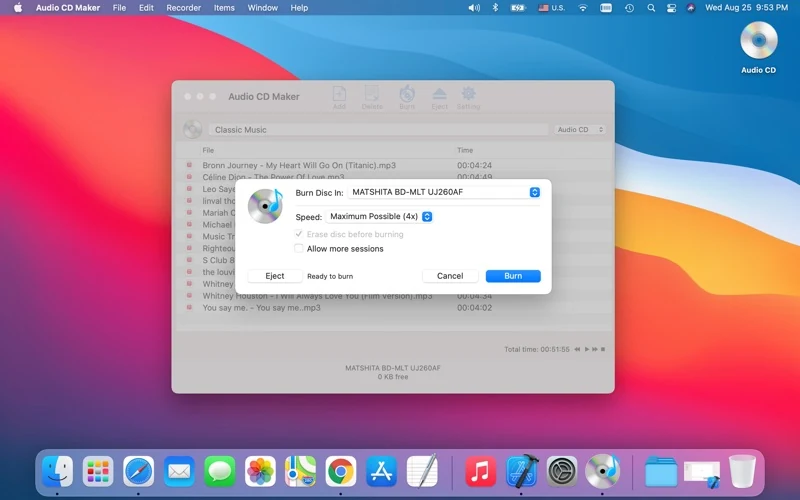
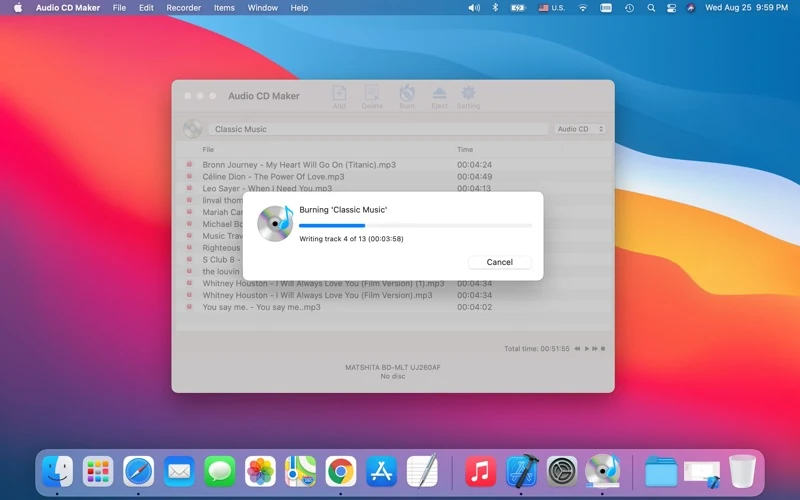
- Use the Burn workflow and view progress as illustrated in the store images.
- Erase rewritable discs, as listed by the developer; this is distinct from rewriting an ordinary CD-R.
- The official format list includes MP3, WAV, AAC, M4A, FLAC and AIFF among other examples. Individual files/codecs have not been independently tested here.
How it works
Official-interface walkthrough, not an independently tested procedure: connect a compatible CD writer and insert writable media; use Add to select your audio files; review the track list and total time, enter a disc title and choose Audio CD; click Burn and review the device options before confirming. After a real burn, check the disc and track order on the intended playback device. The screenshots show the controls and an example session, not proof of that test.
Platforms, downloads & licensing
Mac
- Version
- 2.0
- Updated
- 2021-08-27
- System requirements
- App Store minimum: macOS 10.9 or later. Physical burning also requires a compatible CD writer and writable CD-R/CD-RW. Current macOS, Apple Silicon and individual drive/player compatibility have not been independently verified in this task.
- Platform-specific features
- Official listing: audio CD creation, CD-R/CD-RW and rewritable-disc erasure; compatible hardware and media required.
- Price & license
- Paid Mac App Store download. Checked 19 October 2026: US$4.99 in the US; ¥38 in China. Current regional price and purchase terms are set by Apple. No website package or activation-code edition is offered here.
- Free tier limits
- A trial, detailed usage limits and upgrade/license rights have not been confirmed. No fixed writing speed, disc duration/capacity or universal hardware/format support is promised.
Frequently asked questions
What equipment do I need?
A Mac meeting the listed minimum, a compatible CD writer and writable CD-R/CD-RW media. A read-only drive cannot write a disc; individual drive and media combinations still need verification.
Is an audio CD the same as a data CD?
No. Audio CDs are prepared as music tracks; data CDs store files. Placing MP3 files on a data disc is not the same as making an audio CD. Playback depends on your player and media.
Which audio formats are listed?
The official description includes MP3, WAV, AAC, M4A, FLAC and AIFF among its examples. That list is a developer statement, not a guarantee that every encoding, protected file or variant will import.
Is the current macOS or Apple Silicon verified?
Not in this task. The store minimum is macOS 10.9, and version 2.0 release notes mention Big Sur. Neither establishes current macOS or Apple Silicon testing.
How much music fits, and how fast will it burn?
No fixed capacity, duration or speed is promised here. Check the selected media, device and session information; these were not measured in this website update.
Can I download a website version or enter a license code?
This page offers the verified Mac App Store purchase only. No direct-download or activation-code edition has been established or provided by this task.
Related guides & articles
Related articles will appear here when published.