 GETGOODAPP COLLECTION
JPG to PDF - PDF Generator for Mac
Turn images into PDFs on Mac. Convert several images in a batch or combine them into one PDF document.
Available on the Mac App Store.
A closer look.
JPG to PDF – PDF Generator is a Mac app for turning image files into PDF documents. Its official description includes converting multiple images in a batch and merging images into one PDF, useful when preparing pictures for sharing, emailing or document submission.
The developer lists JPG, BMP, JPEG, GIF, PCX, PNG, TIF and TIFF inputs. These are the published format names, not a new test of every encoding or file variant. Support for HEIC, OCR and other unlisted capabilities has not been established.
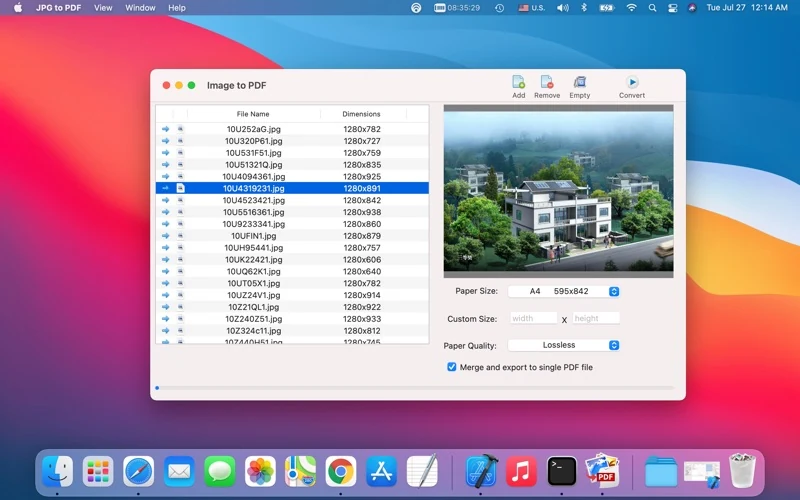
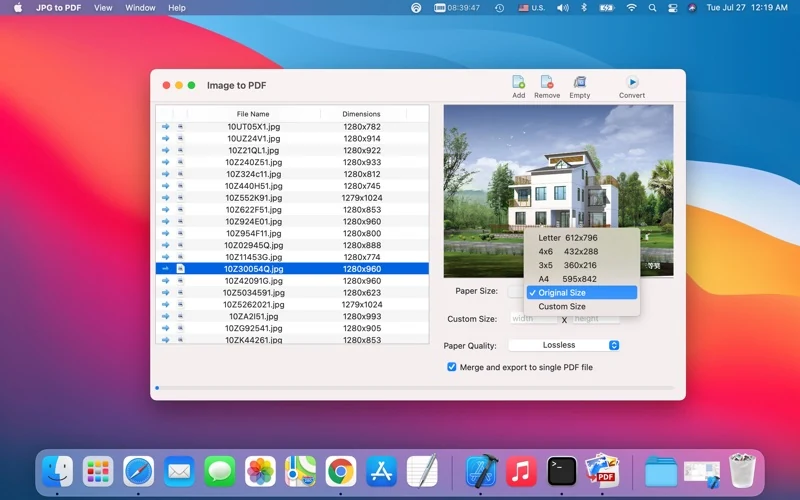
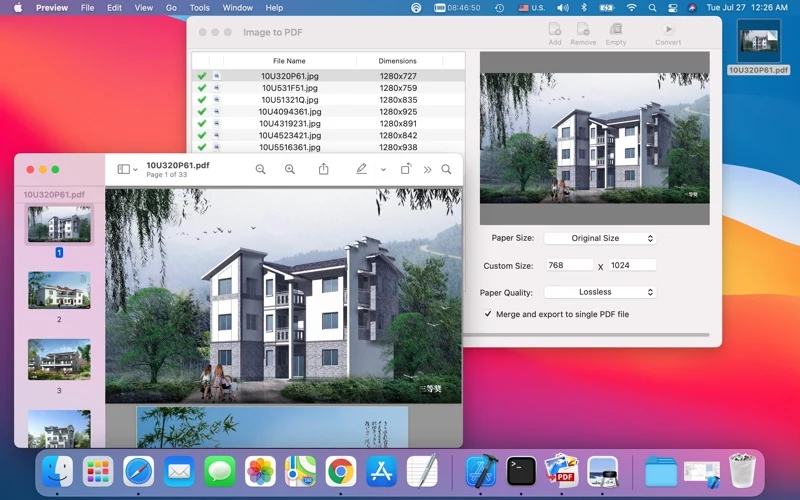
The official interface shows an image list and preview, Add and Convert controls, Paper Size and Paper Quality settings, and a Merge and export to single PDF file option. A second official screenshot shows Original Size and Custom Size choices. The images below illustrate those controls and an example PDF; they are not this website’s conversion results.
Apple lists version 2.0, updated 11 August 2022, macOS 10.9 or later, and an English interface. Release notes mention Apple M1/M2, but this website update does not independently validate current macOS, Apple Silicon or Intel compatibility.
Interface languages
English, as listed by Apple. Chinese website and proposed Chinese store copy are product-information translations, not proof of a Chinese app interface.
Download and related tools
Screenshots
Core features
- Convert the image formats listed by the developer: JPG, BMP, JPEG, GIF, PCX, PNG, TIF and TIFF.
- Convert multiple images in a batch, as stated in the official description.
- Merge multiple images into one PDF using the option shown in official screenshots.
- Add images with the Add control or drag and drop, supported by the official description.
- Choose paper size and paper quality; official screenshots also show Original Size and Custom Size controls. Their behavior is not independently tested here.
How it works
Official-description and screenshot walkthrough, not an app test: use Add or drag image files into the list; review the preview and choose the available Paper Size and Paper Quality settings; for a combined document, use Merge and export to single PDF file; click Convert and inspect the resulting PDF pages and order before sharing.
Platforms, downloads & licensing
Mac
- Version
- 2.0
- Updated
- 2022-08-11
- System requirements
- App Store minimum: macOS 10.9 or later. Current macOS releases, Apple Silicon and Intel operation have not been independently verified in this task. Version2.0 notes mention M1/M2 as the developer’s historical statement.
- Platform-specific features
- Official listing: image-to-PDF conversion, batch conversion, image merging, drag/drop and paper-size/quality choices.
- Price & license
- Paid Mac App Store download. Checked 19 October 2026: US$4.99 in the US; ¥38 in China. Current regional prices and purchase terms are set by Apple. This page offers no separate website installer or payment.
- Free tier limits
- Trial, exact file/page/size limits and detailed license/upgrade terms remain unconfirmed. No fixed conversion speed, lossless output, universal encoding support, page reordering or offline-only operation is promised.
Frequently asked questions
Can I combine several images into one PDF?
Yes, the official description lists merging multiple images, and the screenshots show Merge and export to single PDF file. This is verified documentation, not an independent output test.
Which input formats are listed?
JPG, BMP, JPEG, GIF, PCX, PNG, TIF and TIFF. Exact encodings, animated GIF frames and multi-page TIFF handling were not independently tested; HEIC is not added to the list by inference.
Are paper size and quality settings available?
The official description lists those choices. Official images show Paper Size, Paper Quality, Original Size and Custom Size. Exact options and rendering behavior have not been independently verified.
Can I reorder pages?
The verified material shows an image list, but does not establish a particular reordering workflow. This page does not promise drag-to-sort or a specific output order.
Does image-to-PDF conversion include OCR or guarantee lossless output?
No such guarantee has been established. A PDF containing images is not proof of recognized, searchable text. The Lossless label in an official quality selector is not an independent fidelity test.
Does the app work entirely offline?
The description contrasts its workflow with online converters, but this does not establish a complete offline or network-behavior guarantee. The full product privacy policy remains to be verified.
Related guides & articles
Related articles will appear here when published.