 GETGOODAPP COLLECTION
ISO Maker: Create ISO from Folders on Mac
Turn a folder of files into one ISO image on your Mac, using a simple file list and Make ISO button.
Available on the Mac App Store.
A closer look.
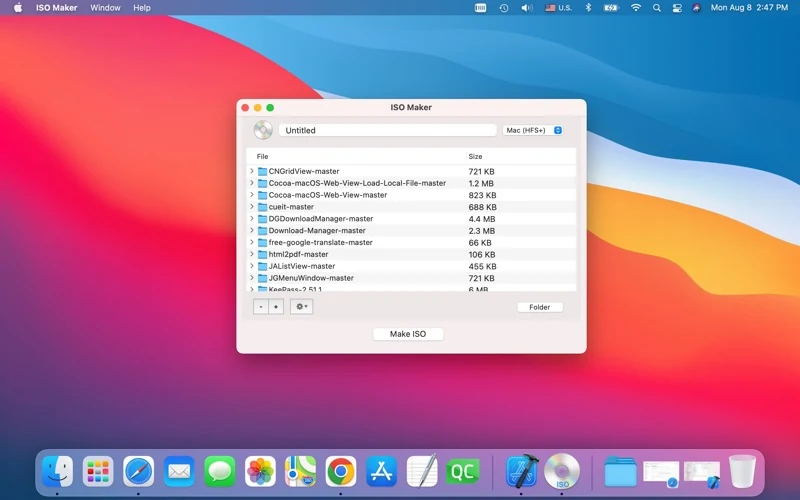
ISO Maker creates an ISO image from a folder on your Mac. It is designed for collecting a folder’s files into one image for archiving or moving to another computer.
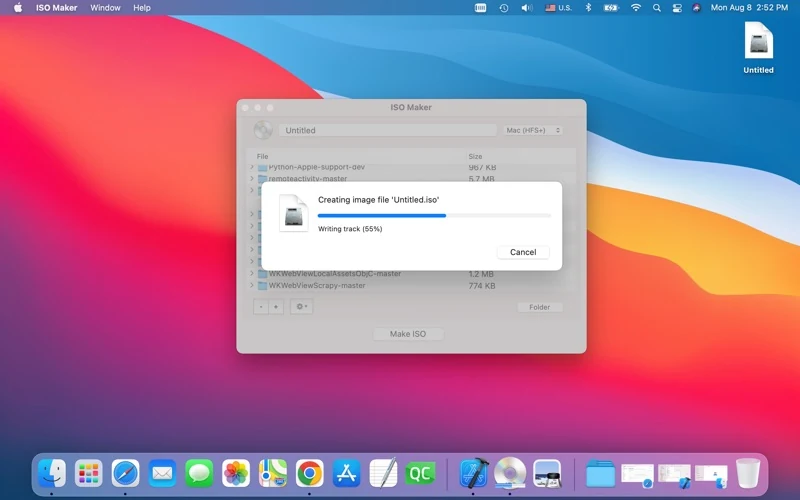
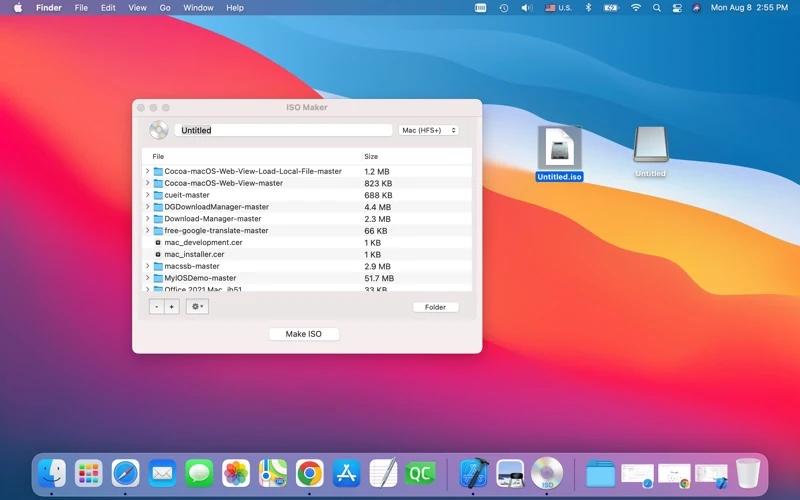
The official workflow is to add or drag a source folder into the file list, then click Make ISO. The screenshots below show the official Mac interface, creation progress and an example image alongside its mounted volume. They are App Store materials, not an independent operation test.
The published version is 2.0, updated 9 August 2022. Apple lists macOS 10.9 or later and an English interface. The release notes mention Apple M1/M2 optimization; this is not a new compatibility test of current macOS releases.
Interface languages
English, as listed by Apple. This Chinese website translation does not indicate a Chinese app interface.
Download and related tools
Screenshots
Core features
- Create an ISO image from a source folder, as described by the developer.
- Add a source folder or drag and drop it into the file list.
- Start image creation with the Make ISO button.
- Keep folder contents in one ISO file for archiving or transfer.
How it works
Official workflow, not independently tested: prepare a source folder containing the files you want to include; add or drag it into ISO Maker’s file list; click Make ISO and follow the app’s save prompts. Official screenshots show creation progress and an ISO image beside a mounted volume. Before relying on an image, open it on your intended Mac and check its contents.
Platforms, downloads & licensing
Mac
- Version
- 2.0
- Updated
- 2022-08-09
- System requirements
- Apple lists macOS 10.9 or later. Version2.0 release notes mention Apple M1/M2 optimization. Compatibility with each current macOS release has not been independently tested here.
- Platform-specific features
- Official workflow: add or drag a source folder, then use Make ISO to create an image.
- Price & license
- Paid Mac App Store download. Checked 19 October 2026: US$2.99 in the US; ¥22 in China. Current price and purchase terms depend on Apple and your region.
- Free tier limits
- No free trial or detailed usage/license policy has been confirmed. Do not infer unlimited sizes, lifetime upgrades or subscription terms from the listed purchase price.
Frequently asked questions
How do I make an ISO from a folder?
The official description says to add or drag the source folder into the file list and click Make ISO. This page documents that workflow without claiming a new operation test.
Is the interface available in Chinese?
Apple currently lists English only. Chinese website and proposed store copy are translations of product information, not additional interface languages.
Can it create a bootable USB installer?
Bootable USB creation is not established by the verified product description. Creating an ISO from a folder does not by itself establish that the image is bootable.
What is the maximum file or image size?
A reliable size limit has not been verified. Individual user reviews are not treated as a confirmed product limit; check your intended files before relying on the app.
Has it been tested on the latest macOS?
Not in this website update. The official minimum is macOS10.9, and version2.0 is dated9 August2022. Its minimum requirement does not establish testing on every later release.
Related guides & articles
Related articles will appear here when published.